
%22%2F%3E%3Cpath%20stroke%3D%22%23fff%22%20stroke-width%3D%2210%22%20d%3D%22M30%200v30M0%2015h60%22%2F%3E%3Cpath%20stroke%3D%22%23C8102E%22%20stroke-width%3D%226%22%20d%3D%22M30%200v30M0%2015h60%22%2F%3E%3C%2Fsvg%3E)
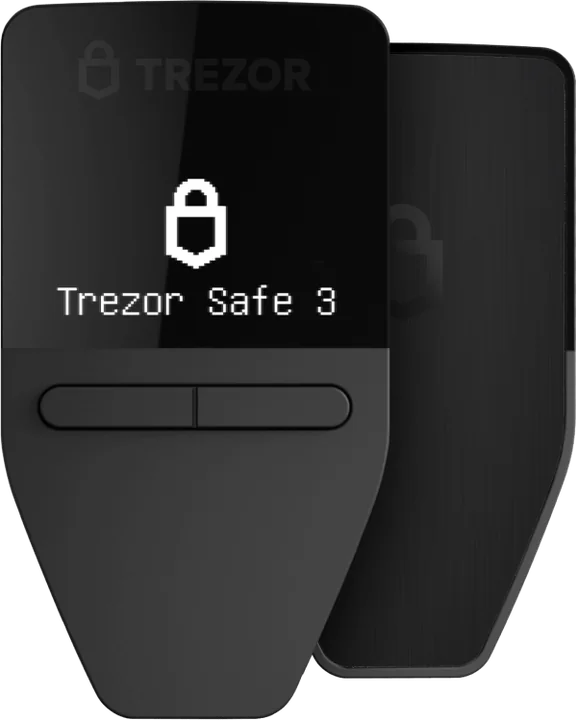
Trezor Safe 3
For a first hardware wallet on a tight budget.
- EAL6+ secure element
- Small monochrome screen, two buttons
- USB-C connection
- Open-source firmware
€59at Trezor’s shop
Order the Safe 3 (opens in a new tab)Guide · self-custody
A hardware wallet is a small device that keeps the keys to your crypto offline. Nothing leaves your wallet unless you approve it on the device itself, even if your computer is riddled with malware.
From €59 in the official shops
By the PlatformCrypto.eu editorial team · checked on
In 30 seconds
Your coins do not live on the device; they live on the blockchain. What the hardware wallet guards is the key that controls them, and that key never comes out. Your computer or phone sends a transaction to the device, you check it on its screen, and you approve with a button or a tap.
How it works
Every crypto transaction has to be signed with your private key. With a phone app, that signing happens on the same phone that runs your email, browser and downloads. With a hardware wallet it happens on a separate gadget that does nothing else.
Your computer or phone drafts the transaction and passes it to the hardware wallet, which shows the address and amount on its own display. Only when you confirm there does the device sign, and the transaction goes out.
Device or app
An app such as MetaMask or Trust Wallet is free and handy. A hardware wallet is made for amounts you cannot afford to lose.
| Topic | Software wallet (app) | SaferHardware wallet |
|---|---|---|
| Where your key lives | Drawback: On an online phone or computer | Advantage: On a separate device that stays offline |
| Malware | Drawback: Can try to steal your key or phrase | Advantage: Cannot send without your approval |
| Approving | One click in the app | Advantage: On the device, after checking the address |
| Price | Advantage: Free | One-off, from €59 |
| Best for | Small sums and daily use | Larger sums and holding long term |
You can combine the two: connect a Trezor to MetaMask and you keep the app while approving on the device. See our MetaMask review.
Inside
Three parts matter: a secure element that resists attempts to read secrets out, a screen on which you check what you are signing, and buttons or a touchscreen to approve. In Trezor’s Safe models that chip is certified to EAL6+.
Software counts too. Trezor publishes its firmware so anyone can verify what the device does; Ledger publishes its app but not the operating system on its chip. We unpack that in Trezor vs Ledger.
Backup
During setup you get a recovery phrase of 12, 20 or 24 words that rebuilds your wallet on any new device. Lose your Trezor and your coins are not gone, as long as you have the words.
It cuts both ways: whoever finds your words owns your coins, device or no device. Keep them offline, never as a photo or in a notes app, and never type them into a website. Our seed phrase explainer has more.
Models
All three with a secure element and open-source firmware. Choose by screen and connectivity; more help in best hardware wallet.
For a first hardware wallet on a tight budget.
€59at Trezor’s shop
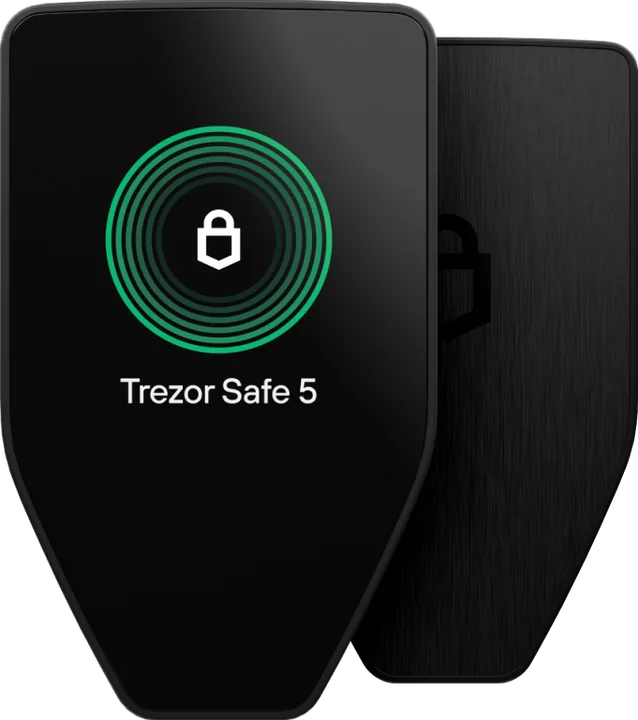
Order the Safe 3 (opens in a new tab)For approving transactions with a tap on a colour screen.
€129at Trezor’s shop
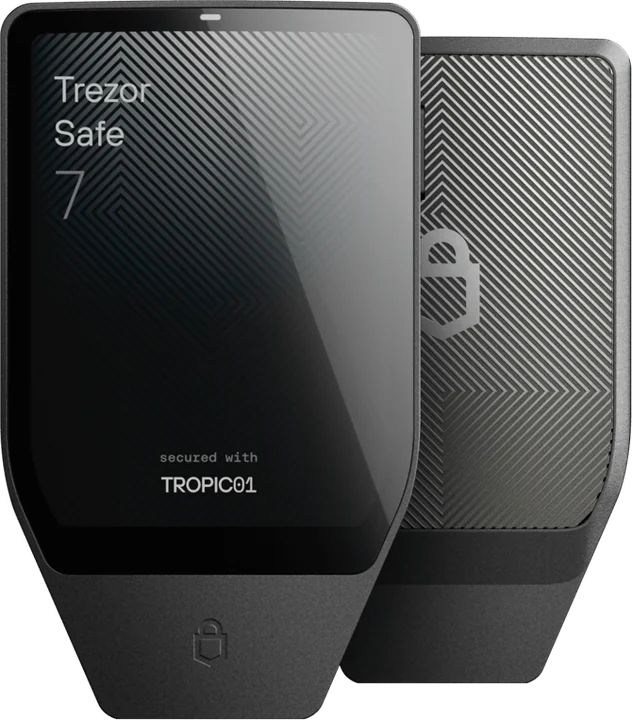
Order the Safe 5 (opens in a new tab)For anyone who wants full Trezor Suite on an iPhone.
€249at Trezor’s shop
Order the Safe 7 (opens in a new tab)Euro prices in Trezor’s official shop, checked on 26 October 2026. Your basket shows the current total, including delivery.
Which suits you?
First hardware wallet
Two buttons, a secure element and the lowest price.
Pleasant daily use
Colour touchscreen with haptics, under Gorilla Glass.
Everything from an iPhone
Bluetooth, a large screen and wireless charging.
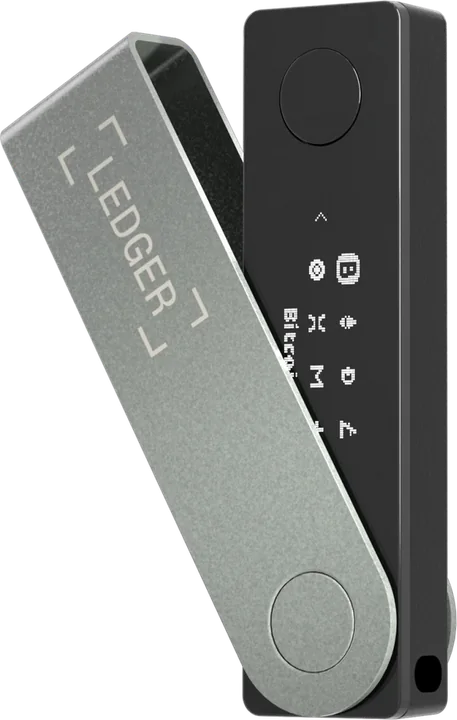
Polkadot, Sui or Hedera
Trezor does not support these coins; Ledger does, over Bluetooth too.
From exchange to device
Our comparison shows where your money buys the most crypto.
Pick the coin and Receive in Trezor Suite, then verify the address on your Trezor’s screen.
The withdrawal network must match. Unsure? See which network to choose.
Once it arrives, send the rest. Exchanges may ask you to prove the wallet is yours.
Buying safely
A device that arrives already set up, or with a recovery phrase filled in, is always a scam: the seller knows your words. Order directly from the maker, or from Trezor’s official Amazon stores in the countries where it has one.
Choose your Trezor and order straight from the official shop. Moving your crypto onto it takes a few minutes.
Trezor Safe 3
€59
Trezor Safe 5
€129
Trezor Safe 7
€249
A small device that stores the keys to your crypto offline and signs transactions only after you approve them on the device. Trezor and Ledger are the best-known makers.
If you hold crypto for the longer term, or an amount you would hate to lose, a hardware wallet is the safest way to hold it yourself. For small sums you use often, an app is fine.
Your coins are not lost: they are on the blockchain. Your recovery phrase restores the wallet onto a new device, which is why keeping those words safe and offline matters so much.
As far as is publicly known, no Trezor or Ledger device has been hacked remotely. Labs have run attacks with the device in hand, which is why modern models use a secure element. The bigger risks are phishing and a poorly stored recovery phrase.
Trezor sells the Safe 3, Safe 5 and Safe 7 for €59, €129 and €249; Ledger ranges from €59 to €399. It is a one-off purchase and the app is free.
Keep reading
What cold storage is and why offline keys are safer.
Our pick for every need: beginner, iPhone or bitcoin only.
Open source against wider coin support: the two big brands compared.
Where your bitcoin should live, from app to Bitcoin-only Trezor.
The free Trezor app on desktop, Android and iPhone.
Five well-known wallets side by side, hardware and software.